How to make visual study notes for one topic
Start with one topic, write an explanation and a worked example, then test whether you can recall the reasoning. This guide uses a simple equation to show how a Drafello board can become both a set of notes and material for later review.
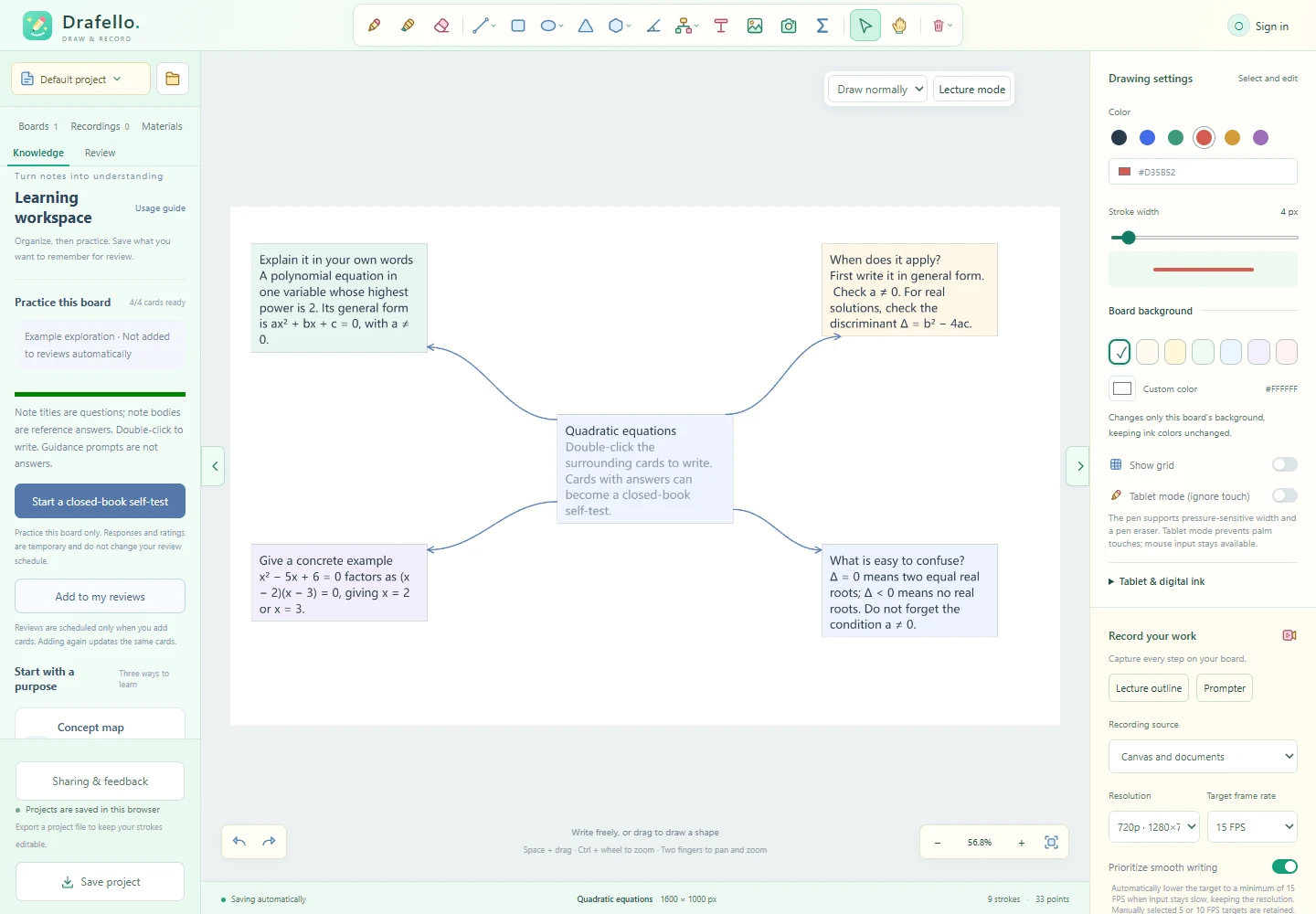
1. Choose a specific question
Open the whiteboard and give your project or board a clear name, such as “Math — Linear equations.” Start with “How do I solve 2x + 3 = 11?” rather than trying to cover an entire subject in one board. Naming boards is a manual way to organize your work, not automatic subject classification.
2. Separate the working from the explanation
Write the equation and solve it step by step. Add titled notes beside the working: “Why subtract 3?”, “Why divide by 2?” and “How can I check the answer?” Write your own answer in each note. Use connecting lines to show which explanation belongs to which step.
You can also start from the knowledge-map workflow and fill in its prompts. The generic structure does not supply subject answers for you.
3. Add a condition and a mistake to avoid
Explain that the same operation must be applied to both sides. Add the substitution check 2 × 4 + 3 = 11. In another note, describe a mistake such as subtracting 3 from only one side. Check the mathematics before using the notes for practice.
4. Try recalling the explanation
Use the current board's self-test workflow for completed study notes. Attempt your answer before revealing the reference answer, then compare it with what you wrote. This is self-assessment, not automatic marking. Notes with no answer body are not ready for this exercise.
5. Save the cards you want to revisit
Explicitly add the completed notes to your review library. Temporary practice alone does not enroll the notes for future review. Open the review library to see saved cards and their review arrangements. Where applicable, use subject and knowledge-point fields to find related cards.
The saved cards are snapshots. If you revise a source note, add it to review again to refresh the saved card. Editing the board alone does not automatically replace its saved review answer.
6. Back up the source project
Keep a supported full project package or cloud backup if you need to restore the notes and review cards on another device. Review cards belong with their source project in these backups; the basic JSON backup only keeps board content. Check Plans and pricing for access and limits. Do not rely on local browser data as your only copy.
Adapt the same process to another subject
For physics, replace the equation with a diagram and notes about the assumptions behind it. For chemistry, connect a balanced equation to an explanation of what each coefficient means. Keep each board focused on a question you can explain and check, rather than collecting facts without a clear relationship.
Next: see the examples in Visual study notes, or use Whiteboard recording to record your explanation.