Record whiteboard lessons with your own explanation
Drafello is a browser-based whiteboard recorder for teachers, tutors and knowledge creators. Write or draw on the board, explain each step with your microphone, and save a lesson recording. You can start drawing without signing in or installing an app.
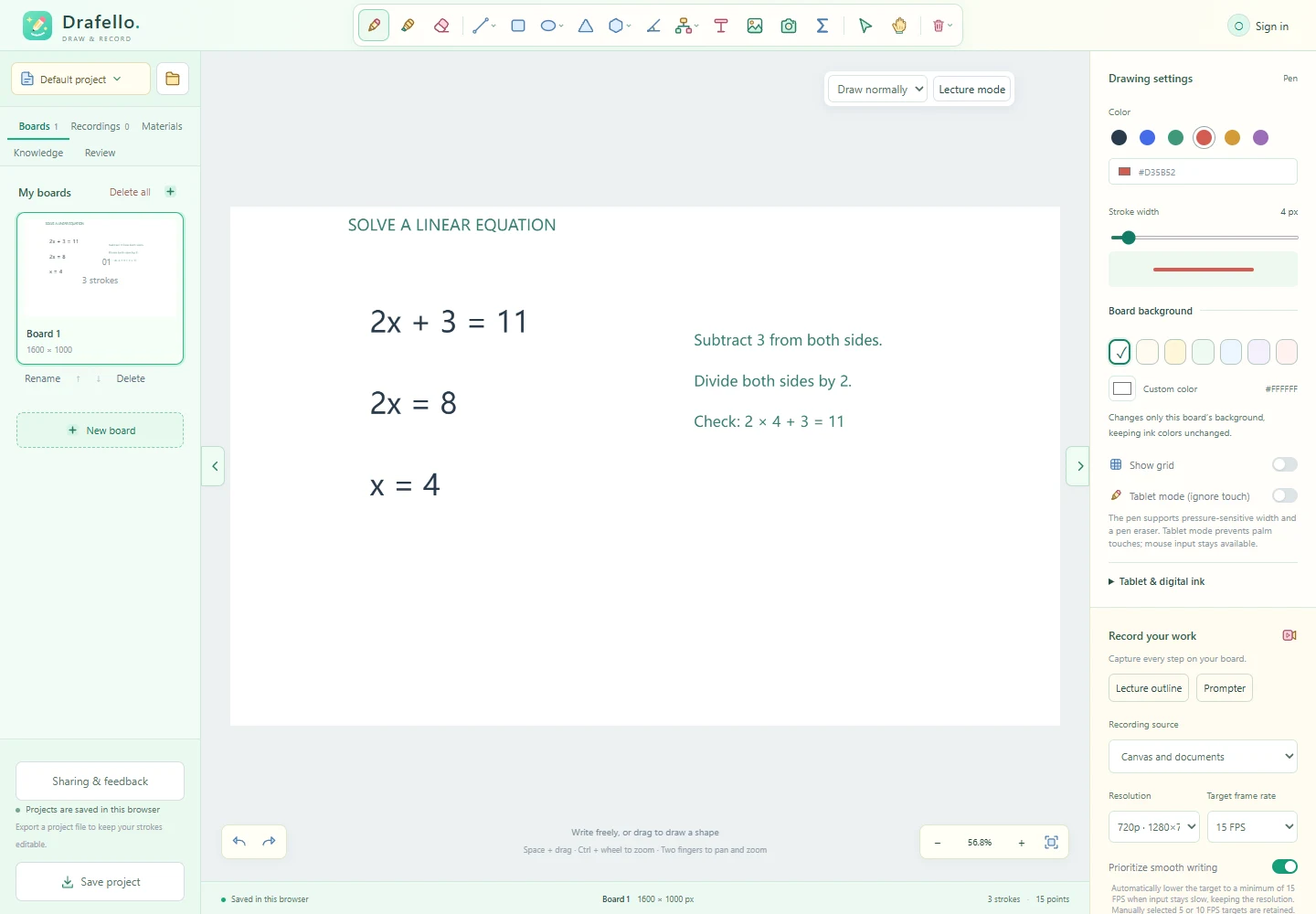
Show how an answer takes shape
A finished solution shows the result. A recorded explanation lets you show the steps you choose to write, the diagram you build and the details you emphasize. Use pens, highlighters, text and shapes to guide attention while you talk.
For example, start with 2x + 3 = 11. Explain why you subtract 3 from both sides, write 2x = 8, then divide both sides by 2 to obtain x = 4. Finish by substituting 4 into the original equation. This is a manually prepared worked example, not an automatically generated solution.
Start with a board or lesson material
Use a blank board for handwriting and diagrams, or open a document and add annotations. PDF files are processed locally in your browser. Office documents use cloud conversion, which depends on service availability, file limits and conversion credit eligibility.
For a worksheet-based workflow, see Explain a PDF lesson.
Prepare, record and check the result
- Open the whiteboard and prepare the example you want to explain.
- Choose the recording resolution and audio source. Allow microphone access if you want narration.
- Record a short sample and play it back to check the writing and sound.
- Record the lesson, pausing and resuming when needed.
- Save the recording and use the available export options to keep a copy.
Drafello offers 540p, 720p and 1080p recording settings. Actual performance and available export options depend on your browser and device. Desktop Chrome or Edge is recommended for recording and video export.
Keep an editable project as well as the video
Projects and recordings are stored in the current browser. Clearing site data can remove them. Export backups of work you want to keep. Free users can save a basic editable project backup; Pro adds full project packages and cloud backups, along with watermark-free video exports. Check Plans and pricing for current details.
Can I record my voice?
Yes, when your browser has permission to use the microphone. Select the audio source before recording and check a short sample. System audio has separate browser, operating system and screen-sharing requirements.
Is recording the same as a live tutoring call?
This page describes preparing and recording your own explanations. It does not describe a built-in video call or a shared board that students edit with you in real time.
What should I try first?
Choose one small example you already know well. Prepare the question, record the working and check the saved result. The whiteboard recording guide walks through that first session.