Make study notes you can explain in your own words
Drafello brings handwriting, document annotation, diagrams and connected notes into a browser workspace. Use it to organize a topic for revision, prepare a worked example for a student or plan a visual explanation. You create the subject content yourself; the workspace helps you arrange and revisit it.
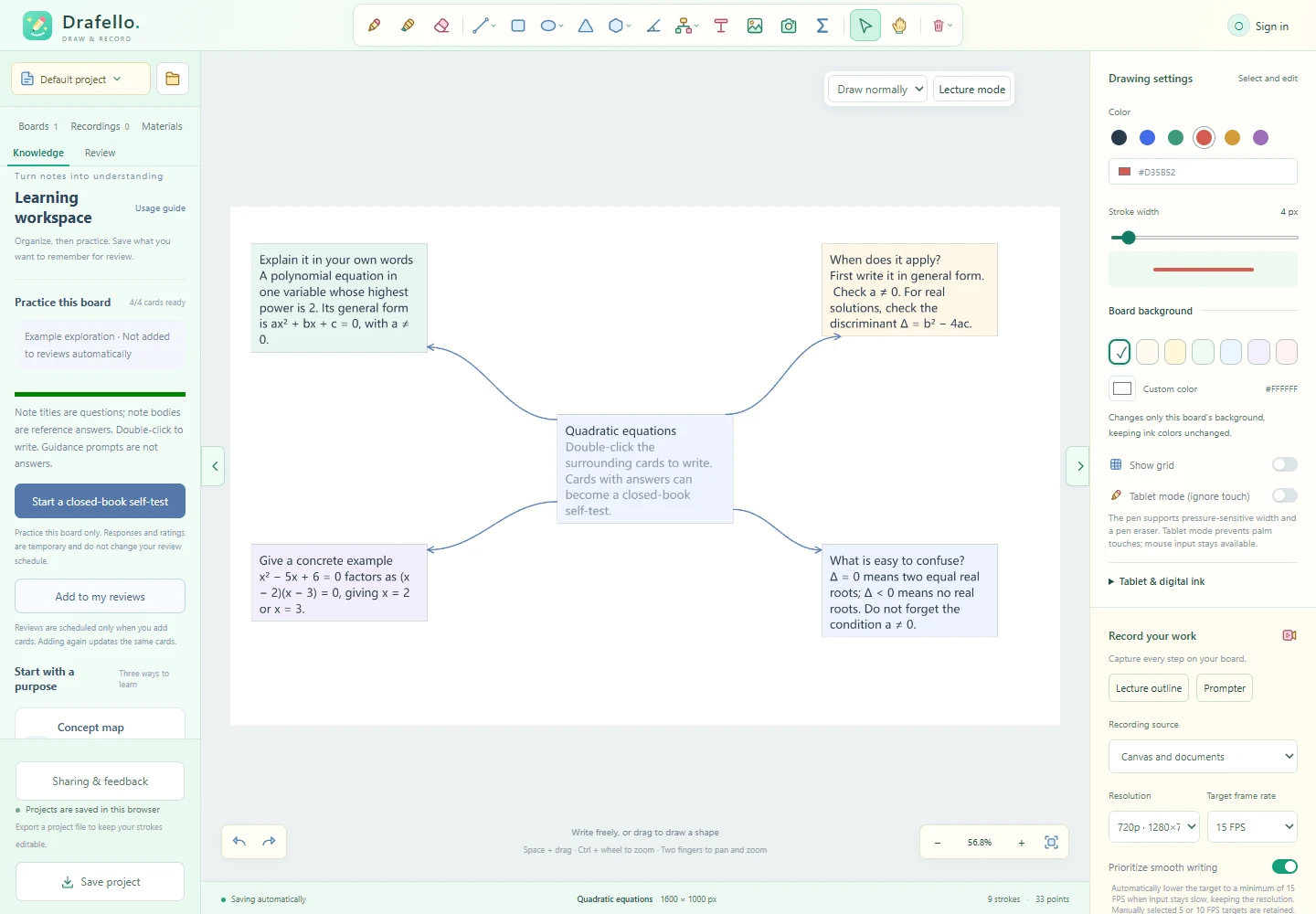
Math: keep the reasoning beside each step
Write a problem at the top of the board, leave space for the working and add a note explaining each transformation. For 2x + 3 = 11, show how subtracting 3 and dividing by 2 leads to x = 4. Add a final substitution check and a note about a mistake to avoid, such as changing only one side of an equation.
Physics: connect a diagram to its assumptions
Draw a block resting on a horizontal surface and label the forces. Add notes stating that the block is stationary and that no other vertical forces act on it. Explain why the upward normal force and downward weight balance under those assumptions. Use connections between the diagram and notes to make the reasoning visible.
Chemistry: separate the equation from the explanation
Write 2H₂ + O₂ → 2H₂O and count hydrogen and oxygen atoms on both sides. Use a second note to explain why balancing changes coefficients rather than the chemical formulas. These are notes you write and check yourself; Drafello does not validate chemical equations.
Organize by topic, then revisit what needs practice
Use descriptive project and board names for your subjects and topics. Add titled notes and connect related ideas. The knowledge-map workflow provides prompts for explaining a concept, naming its conditions, giving an example and identifying a common confusion.
Saved review cards can be labeled and filtered by subject and knowledge point in the review library. This is distinct from automatic subject sorting of every project or board.
Turn your own notes into self-test questions
Write a question or cue in a study note's title and your explanation in its body. The study workflow can hide the answer while you try to recall it. Check your response against the answer you supplied, then assess how well you recalled it. Drafello does not automatically grade your response.
Practicing the current board is temporary. To revisit notes later, explicitly add them to your review library. Saved cards have review arrangements; simply opening a practice session does not save cards or schedule them.
Can I keep my notes across devices?
Local work stays in the current browser. Clearing site data can remove it. Pro supports full project packages and cloud backups that can be restored on another device. Review cards travel with their source project's supported full backup; a basic JSON backup does not include them. See Plans and pricing before choosing a backup method.
Can I record an explanation of my notes?
Yes. Use a prepared board as the starting point for a recorded explanation. See Whiteboard recording for microphone, browser and export considerations.